Install Milano
This page walks you through installing the Milano theme on your WordPress site. You can upload it through the WordPress admin (recommended) or via FTP if your host has a small upload limit.
Before you begin
Section titled “Before you begin”- A working WordPress site (WordPress 5.9 or higher, PHP 7.4 or higher).
- The Milano theme zip file from your ThemeForest download. Do not extract it — you will upload the zip as-is.
- Admin access to your WordPress dashboard.
If you haven’t downloaded Milano yet, go to your ThemeForest Downloads page and click Download next to Milano. Choose the “Installable WordPress theme only” option.
Next: Before you begin for a full checklist of what you need.
Method A — Upload through WordPress admin (recommended)
Section titled “Method A — Upload through WordPress admin (recommended)”-
Log in to your WordPress admin dashboard.
-
Go to Appearance → Themes.
-
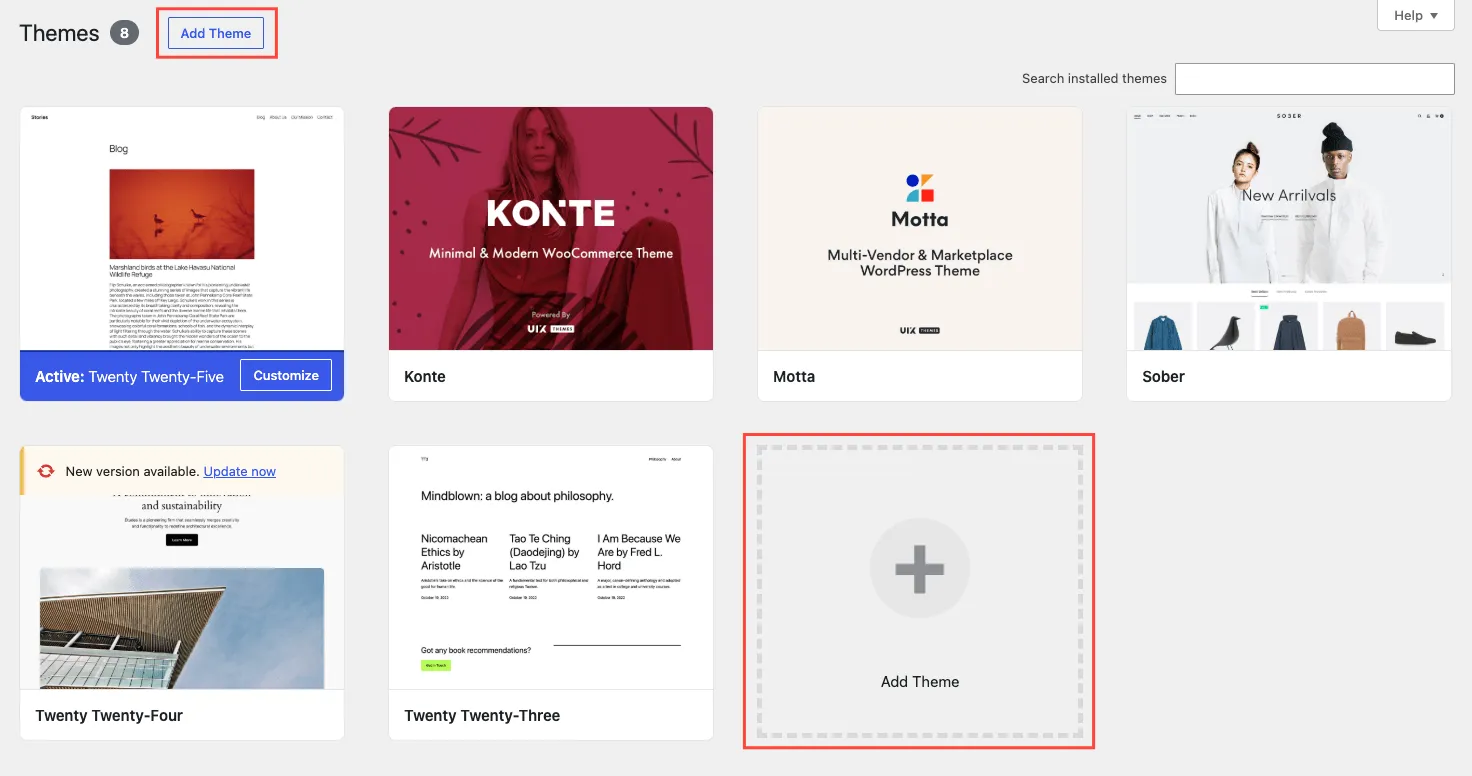
Click Add New at the top of the page.
-
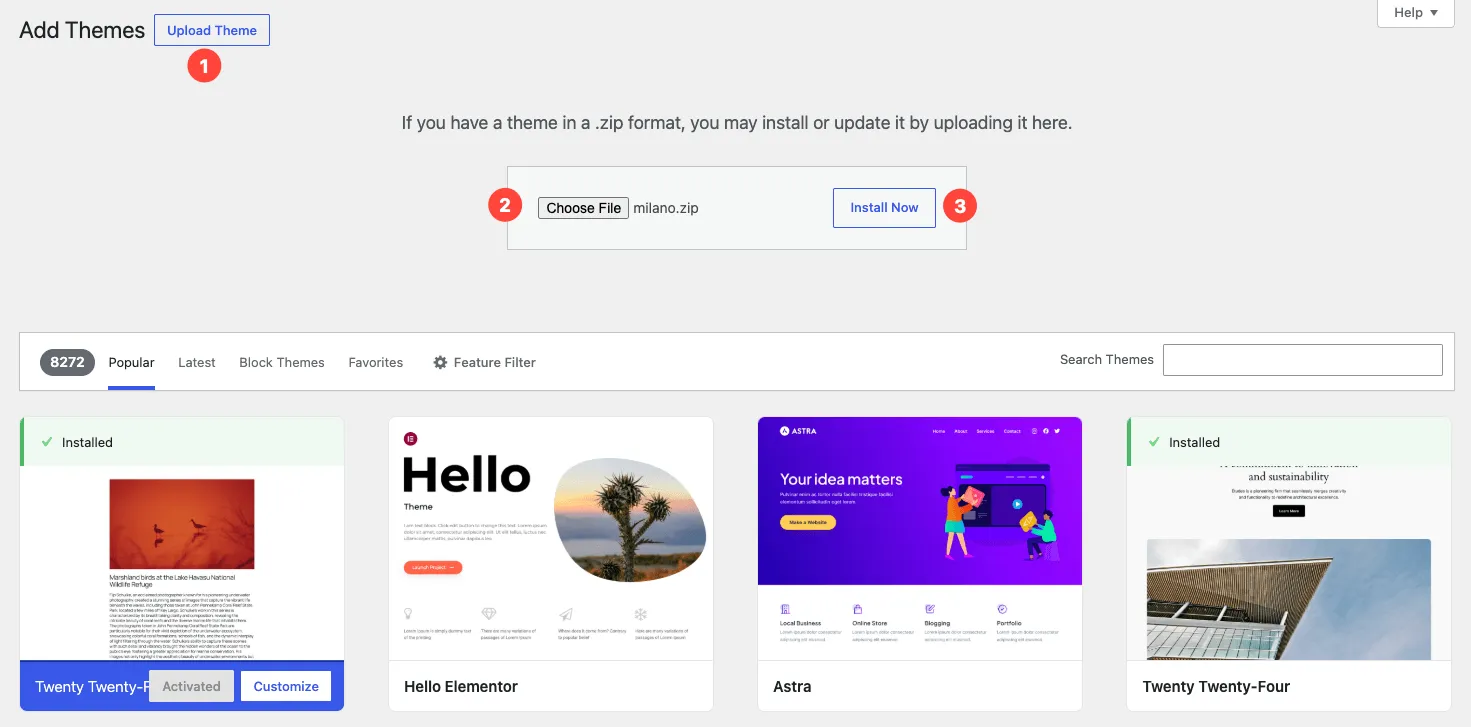
Click Upload Theme at the top of the Add Themes page.
-
Click Choose File, select the Milano zip file from your computer, then click Install Now.
-
Wait for WordPress to upload and install the theme. You will see a success message when it finishes.
-
Click Activate to turn Milano on.
Milano is now your active theme. You will see a prompt to install the required plugins — we cover that on the next page.
Method B — Upload via FTP
Section titled “Method B — Upload via FTP”Use this method if your host has a low upload limit and Method A fails with a “File is too large” error.
-
Connect to your site via FTP (or SFTP) using your host’s credentials.
-
Navigate to
wp-content/themes/inside your WordPress installation. -
Extract the Milano zip file on your computer. You should see a folder called
milano/. -
Upload the entire
milano/folder towp-content/themes/. -
Go to Appearance → Themes in your WordPress admin.
-
Find Milano and click Activate.
Troubleshooting
Section titled “Troubleshooting”Problem: “The uploaded file exceeds the maximum upload size.”
Fix: Your host has a low PHP upload limit. Use Method B (FTP) instead, or ask your host to increase upload_max_filesize to at least 16 MB.
Problem: “Are you sure you want to do this?”
Fix: This usually means your session expired. Refresh the page, log in again, and retry the upload. If it keeps happening, increase your PHP max_execution_time to at least 120 seconds.
Problem: “The package could not be installed. The theme is missing the style.css stylesheet.”
Fix: You may have uploaded the wrong file. Make sure you downloaded the “Installable WordPress theme only” zip from ThemeForest, not the “All files & documentation” package. The correct zip contains style.css at its root.