Install required plugins
Milano requires two plugins to work: WooCommerce and Elementor. The setup wizard installs them for you on its Plugins step. This page covers the wizard flow plus the manual path for users who skipped the wizard or want to install a different set of plugins.
Required plugins
Section titled “Required plugins”WooCommerce
Section titled “WooCommerce”What it does. Adds online store functionality to WordPress — products, cart, checkout, and payments. Where to install. The wizard’s Plugins step, or Milano → Dashboard → Plugins in your WordPress admin. License. Free. No paid plan needed for basic store features.
Elementor
Section titled “Elementor”What it does. A drag-and-drop page builder for creating and editing pages visually. Milano’s demo content and page templates are built with Elementor. Where to install. The wizard’s Plugins step, or Milano → Dashboard → Plugins in your WordPress admin. License. Free. The free version covers all Milano demo imports. Elementor Pro is optional.
Install through the setup wizard
Section titled “Install through the setup wizard”The wizard shows a checklist of plugins on its Plugins step. Required plugins are pre-selected; you can deselect any you don’t want, then click Continue to install and activate the whole batch in one go.
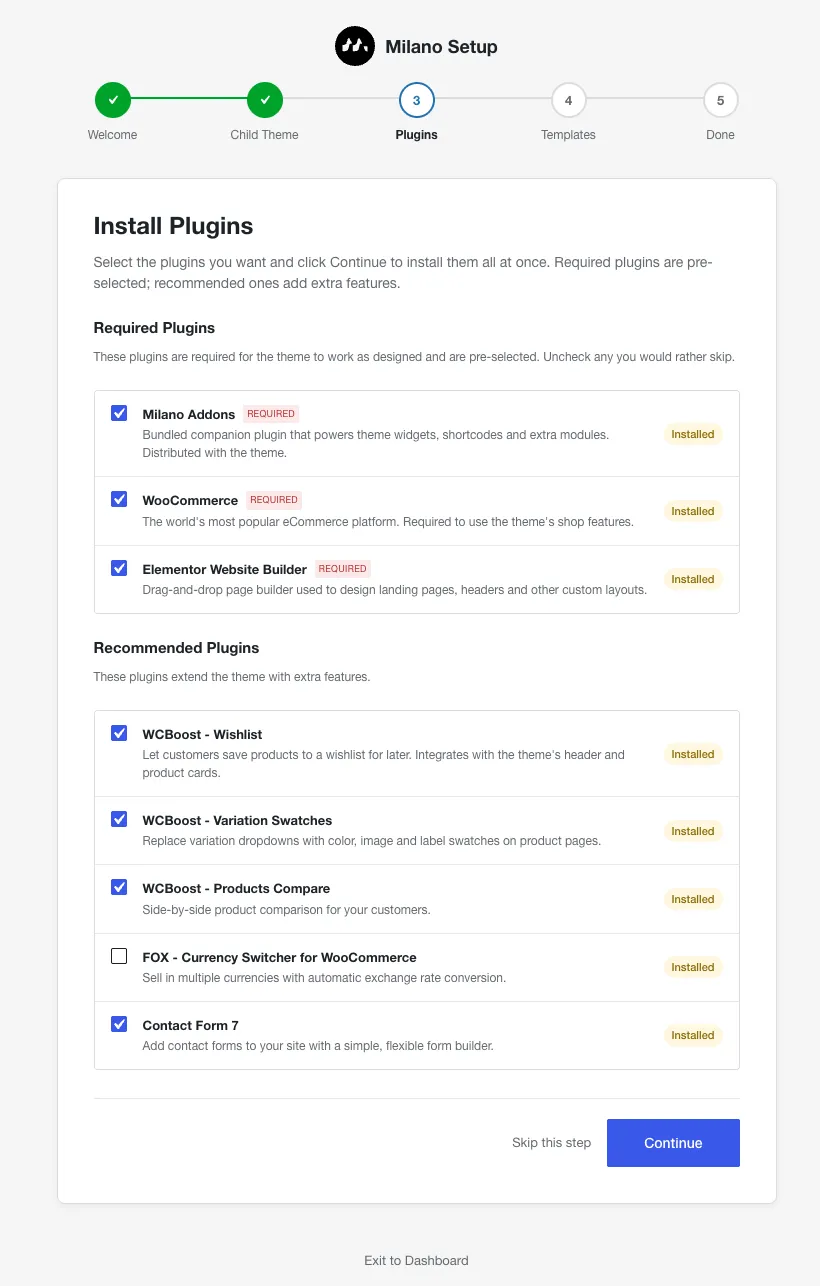
The button shows a spinner while each plugin is installed and activated. When the queue finishes, the wizard advances to the Templates (demo import) step.
Install from the Milano Plugins tab
Section titled “Install from the Milano Plugins tab”If you skipped the wizard or want to manage plugins later, use the Plugins tab:
- Go to Milano → Dashboard in your WordPress admin.
- Click the Plugins tab.
- Check the boxes next to the plugins you want.
- Click Install (or Activate, if they’re already installed) to apply the selection.
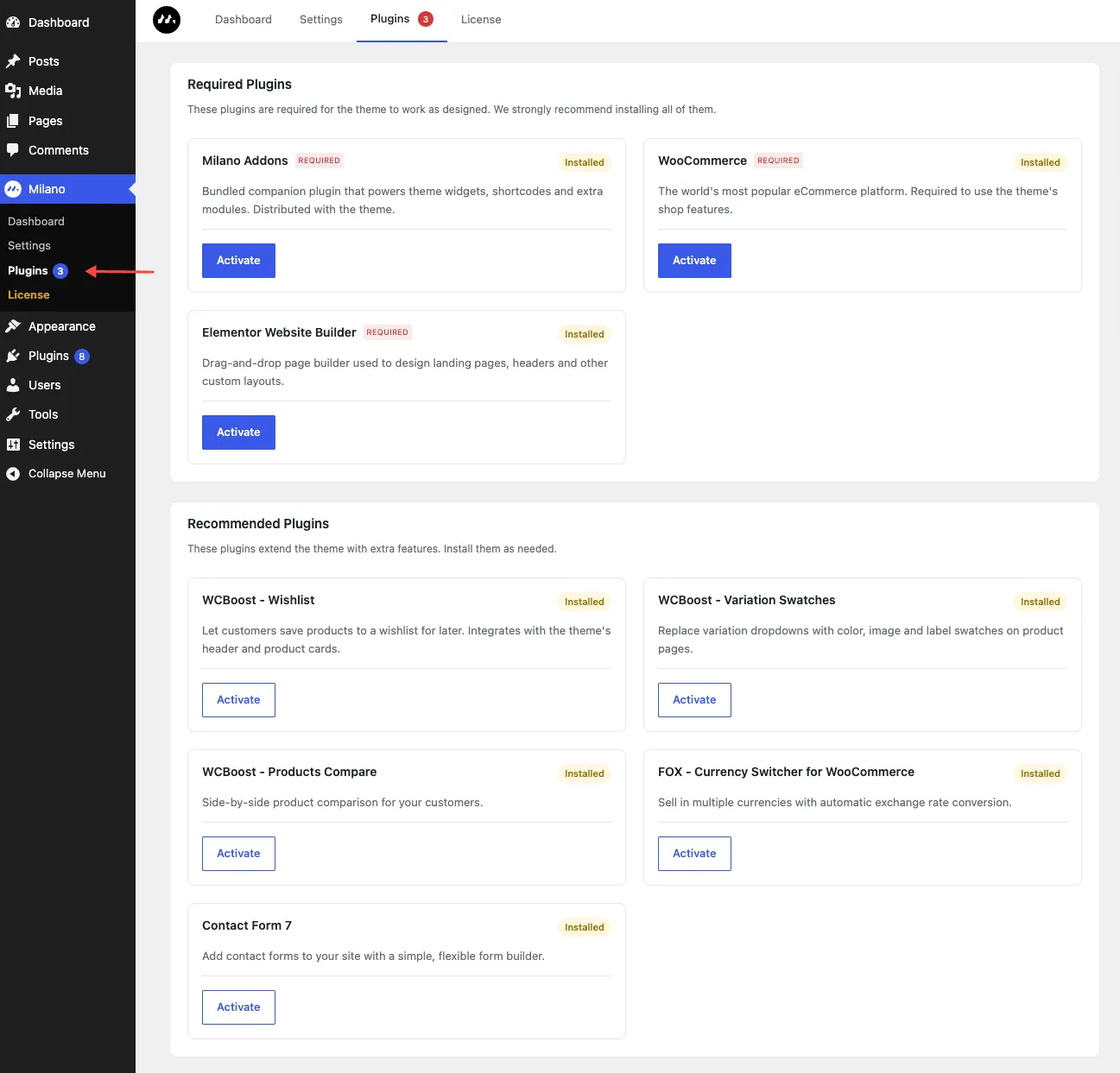
The Plugins tab uses the same checklist as the wizard, so the install and activate actions behave identically.
Install manually through WordPress
Section titled “Install manually through WordPress”If the Milano installer is unavailable, install the plugins yourself through the WordPress plugin directory:
- Go to Plugins → Add New.
- Search for “WooCommerce”. Click Install Now, then Activate.
- Search for “Elementor”. Click Install Now, then Activate.